
PM2
Nginx
Nodejs
load balance
express
Junius L
September 3, 2023
5 min read
Junius L
September 3, 2023
5 min read
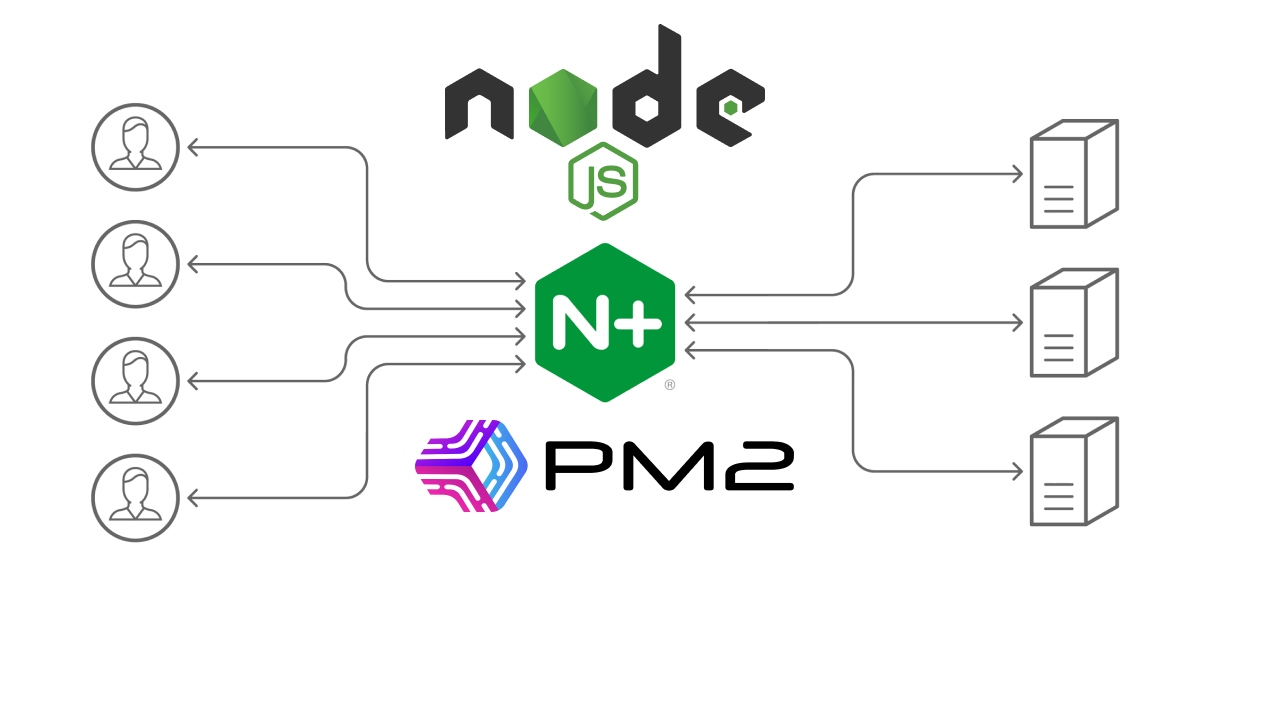
In today's rapidly evolving digital landscape, ensuring your web applications are highly available and performant is crucial. Load balancing is a technique that distributes incoming traffic across multiple server instances, optimizing resource utilization and enhancing user experience. In this guide, we'll delve into the process of load balancing Node.js applications using Nginx and PM2 to achieve seamless scalability and improved reliability.
Load balancing involves distributing incoming network traffic across multiple backend servers to ensure that no single server is overwhelmed. This process optimizes resource utilization, minimizes downtime, and enhances response times. Load balancing is especially critical for applications with varying levels of traffic, as it allows for easy scalability.
Nginx is a powerful and lightweight web server that can also function as a reverse proxy server. As a reverse proxy, Nginx sits in front of your backend servers and forwards client requests to the appropriate server instance. This makes it an ideal candidate for load balancing.
Initialize Project:
mkdir nodejs-load-balancing
cd nodejs-load-balancingInitialize Node.js Project:
npm initInstall Dependencies:
npm install express ipCreate the Server File:
Create a new file named index.js in the project directory. This will be your main server file where you'll write the code.
Write the Server Code:
Open the index.js file in a text editor and paste the following code:
const express = require('express');
const IP = require('ip');
const PORT = process.env.PORT || 8080;
const app = express();
app.get('/health', (req, res) => {
res.send('OK');
});
app.get('/', (req, res) => {
res.send(`API is up and running - Instance: ${process.env.NODE_APP_INSTANCE}`);
});
app.listen(PORT, () => console.log(`App is running on http://${IP.address()}:${PORT}`));
Run the Server Locally:
node index.jsTesting Routes: Open your web browser or use a tool like curl to test the routes you defined. For example, try accessing http://localhost:8080/health and http://localhost:8080/ in your browser or through curl to see the responses.
PM2 (Process Manager 2) is a popular process manager for Node.js applications. It allows you to manage your Node.js processes, ensuring they run reliably and efficiently. PM2 can also be integrated seamlessly with Nginx for load balancing purposes.
Here's how you can set up load balancing with Nginx and PM2:
Install PM2: Install PM2 globally on your server using npm:
npm install -g pm2Create a PM2 Configuration File:
In your project directory, create a file named pm2.config.js or pm2.config.json (either JavaScript or JSON format works). This file will contain the configuration for running your Node.js application with PM2.
// pm2.config.js or pm2.config.json
module.exports = {
apps: [
{
name: 'nodejs-load-balancing',
script: 'index.js',
instances: 2, // Customize instance number if needed
exec_mode: 'cluster',
watch: true,
increment_var: 'PORT',
env: {
PORT: 8088,
NODE_ENV: 'production',
},
},
],
};In this configuration, we specify the name of the application, the script to run (your index.js file), and use the instances and exec_mode options to enable PM2 to run the application in cluster mode with multiple instances.
Configure Nginx: Configure Nginx as a reverse proxy to distribute traffic across your Node.js instances. Create an Nginx configuration file (e.g., /etc/nginx/conf.d/load-balancing.conf):
upstream nodejs_servers {
least_conn; # Use the least connections load balancing algorithm
server 127.0.0.1:8088;
server 127.0.0.1:8089;
# Add more server instances as necessary
}
server {
listen 80;
server_name yourdomain.com;
location / {
proxy_pass http://nodejs_servers;
proxy_http_version 1.1;
proxy_set_header Upgrade $http_upgrade;
proxy_set_header Connection 'upgrade';
proxy_set_header Host $host;
proxy_cache_bypass $http_upgrade;
}
}Reload Nginx: After configuring Nginx, reload its configuration to apply the changes:
sudo systemctl reload nginxStart the Application with PM2:
pm2 start pm2.config.jsThis will launch your Node.js application with the configurations specified in the PM2 configuration file. PM2 will handle clustering and load balancing for you, spawning multiple instances of your application.
With this setup, PM2 will handle the management of your Node.js instances, including load balancing. You can scale the number of instances by modifying the instances value in your PM2 configuration file. This approach simplifies the deployment and management of your application, allowing you to focus on building great features rather than managing individual instances.
Load balancing your Node.js applications using Nginx and PM2 brings several benefits:
In a world where digital services must be reliable and responsive, load balancing is a fundamental technique. By combining the power of Nginx as a reverse proxy and PM2 as a Node.js process manager, you can ensure your applications are highly available, scalable, and performant. Whether you're running a small-scale web app or a large-scale service, load balancing with Nginx and PM2 is a crucial step toward delivering a seamless user experience.